



















About Geometry Dash Bloodbath
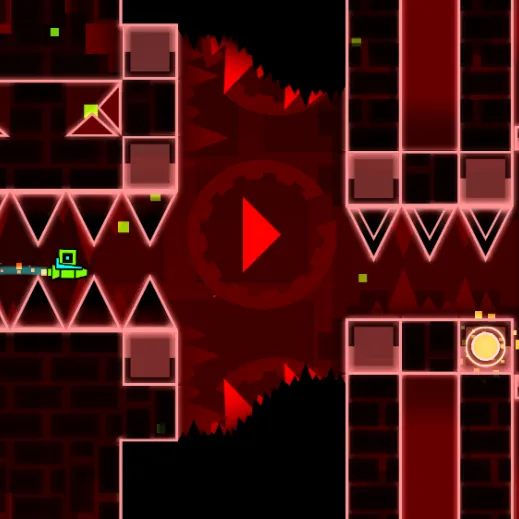
Attempt a fan recreation of the notorious red-toned Bloodbath demon challenge. Narrow ship and wave passages reward tiny controlled inputs. Tiny flight gaps make the difference between a quick press and a long hold painfully obvious.
How to Play Geometry Dash Bloodbath
1. Practice the first narrow corridor as a separate timing problem.
2. Jump / steer with Left-click or Space or Up Arrow.
3. Extremely narrow flight sections favor micro-inputs; a long hold often creates an immediate crash.
4. Thread every tight flight passage and complete the Bloodbath-inspired level.
Controls
| Action | Desktop | Mobile |
|---|---|---|
| Jump / steer | Left-click or Space or Up Arrow | — |
Geometry Dash Bloodbath Tips & Tricks
- Use very brief presses in tight flight gaps; reset after a bad entry.
- A long hold in a one-icon-wide passage immediately hits a wall.
- Keep your inputs small enough that you can correct upward and downward inside the same tight opening.
Frequently Asked Questions
What are you trying to achieve in Geometry Dash Bloodbath?
You aim to attempt a fan recreation of the notorious red-toned Bloodbath demon challenge.
Why are the ship sections so difficult?
The gaps are extremely tight, making tiny corrections safer than broad upward movement.
How should I begin without wasting an attempt?
Practice the first narrow corridor as a separate timing problem.
What's the most useful tactical adjustment in Geometry Dash Bloodbath?
Use very brief presses in tight flight gaps; reset after a bad entry.
What should I stop doing in Geometry Dash Bloodbath?
A long hold in a one-icon-wide passage immediately hits a wall.
What input do I use to get started?
Desktop: jump / steer: Left-click or Space or Up Arrow.
What should I try in a difficult passage?
Keep your inputs small enough that you can correct upward and downward inside the same tight opening.