

















About Geometry Dash SubZero
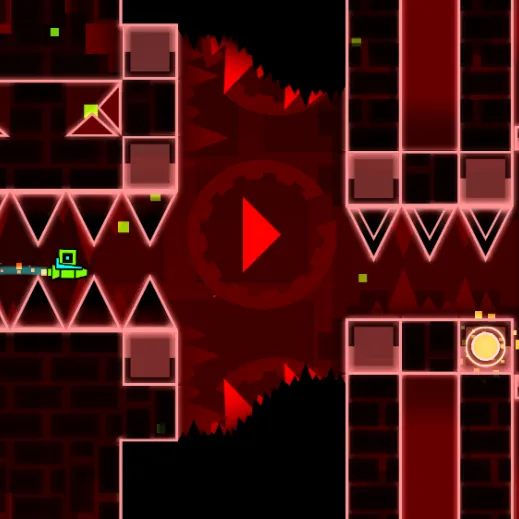
Tackle Press Start, Nock Em and Power Trip with dramatic camera effects. Zooms, shifts and reversals change what you see without removing the need for steady rhythm. Camera tricks make the level feel unstable even when the underlying beat is still predictable.
How to Play Geometry Dash SubZero
1. Learn the music cue before a camera change occurs.
2. Jump / fly with Left-click or Space or Up Arrow.
3. Press Start, Nock Em and Power Trip each use strong camera effects to challenge timing.
4. Survive the camera changes and reach the end of the chosen SubZero song.
Controls
| Action | Desktop | Mobile |
|---|---|---|
| Jump / fly | Left-click or Space or Up Arrow | — |
Geometry Dash SubZero Tips & Tricks
- Keep input timing steady while the view zooms or swings.
- Reacting to camera motion instead of obstacles causes late jumps.
- Rehearse where the floor will appear after a camera shift instead of aiming at the old screen position.
Frequently Asked Questions
How does a successful attempt in Geometry Dash SubZero work?
You aim to tackle Press Start, Nock Em and Power Trip with dramatic camera effects.
Which stages are in SubZero?
Press Start, Nock Em and Power Trip are the three stages in the game.
Where should I focus at the start of Geometry Dash SubZero?
Learn the music cue before a camera change occurs.
What can I do when the usual approach stops working?
Keep input timing steady while the view zooms or swings.
Why do I keep failing in Geometry Dash SubZero?
Reacting to camera motion instead of obstacles causes late jumps.
How do you steer or interact in Geometry Dash SubZero?
Desktop: jump / fly: Left-click or Space or Up Arrow.
What should I try in a difficult passage?
Rehearse where the floor will appear after a camera shift instead of aiming at the old screen position.