

















About Glitch Dash
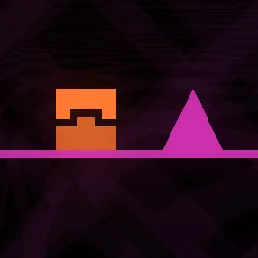
Run through a first-person neon corridor with swinging hammers and shifting traps. Side dodges, jumps and slides must match the shape of the next obstacle. The first-person view makes late decisions especially costly when a giant obstacle fills the corridor.
How to Play Glitch Dash
1. Read the next hazard while the current lane is still clear.
2. Strafe with A/D or Left/Right; jump with W or Up.
3. Different trap shapes demand either a lateral dodge, jump or slide in a narrow first-person course.
4. Pass the next wave of moving corridor traps without a collision.
Controls
| Action | Desktop | Mobile |
|---|---|---|
| Strafe | A/D or Left/Right | — |
| Jump | W or Up | — |
| Slide | S or Down | — |
Glitch Dash Tips & Tricks
- Use machine-sound cues to anticipate a moving wall or hammer.
- Jumping when the only safe route is underneath a beam causes an instant hit.
- Identify whether the next hazard requires a jump or a slide before it fills the screen.
Frequently Asked Questions
What is the main challenge in Glitch Dash?
You aim to run through a first-person neon corridor with swinging hammers and shifting traps.
How do I avoid low overhead traps?
Use the slide input early enough to pass underneath the obstruction.
How can a beginner get through the opening of Glitch Dash?
Read the next hazard while the current lane is still clear.
How can I handle the tricky part of Glitch Dash?
Use machine-sound cues to anticipate a moving wall or hammer.
What's the main trap to watch for?
Jumping when the only safe route is underneath a beam causes an instant hit.
What are the desktop controls in Glitch Dash?
Desktop: strafe: A/D or Left/Right; jump: W or Up; slide: S or Down.
What else helps with a hard jump?
Identify whether the next hazard requires a jump or a slide before it fills the screen.