


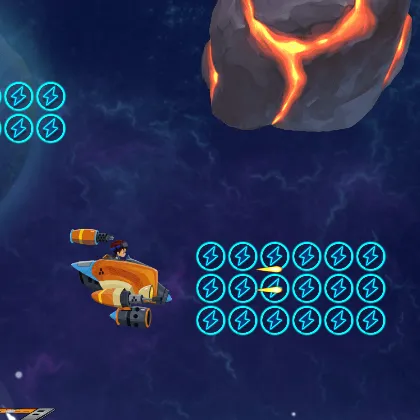





















About Alien Sky Invasion
Pilot a fighter against UFOs in 3D space dogfights. Lock-on missiles reward distance and timing rather than blind close-range firing. The sky is open, but charging straight at a UFO still exposes the fighter to more incoming fire.
How to Play Alien Sky Invasion
1. Keep a wide orbit until the targeting indicator confirms a lock.
2. Steer with Mouse; laser with Left-click.
3. Missile locks are shown by an aiming indicator, while lasers handle nearer enemies.
4. Destroy hostile ships while keeping the fighter's protective shield intact.
Controls
| Action | Desktop | Mobile |
|---|---|---|
| Steer | Mouse | — |
| Laser | Left-click | — |
| Missile | Right-click or Space | — |
Alien Sky Invasion Tips & Tricks
- Fire a missile after lock-on; use laser fire when enemies draw near.
- Flying straight into a swarm exposes the ship's shield.
- Do not launch a lock-on missile while the target indicator is still unsettled.
Frequently Asked Questions
What's the goal in Alien Sky Invasion?
You aim to pilot a fighter against UFOs in 3D space dogfights.
When should I fire a guided missile?
Wait for a stable target lock rather than firing while the indicator is unsettled.
What's a sensible first move in Alien Sky Invasion?
Keep a wide orbit until the targeting indicator confirms a lock.
Which technique helps most after the basics?
Fire a missile after lock-on; use laser fire when enemies draw near.
What mistake can end a good run?
Flying straight into a swarm exposes the ship's shield.
Which keys handle the main actions?
Desktop: steer: Mouse; laser: Left-click; missile: Right-click or Space.
What should I consider before the next attack?
Do not launch a lock-on missile while the target indicator is still unsettled.