
















About Zombies Shooter Part 2
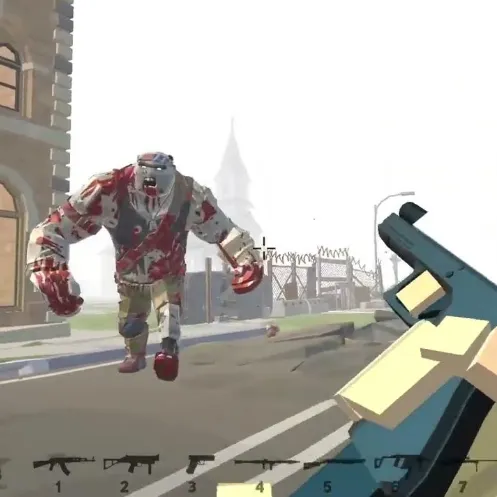
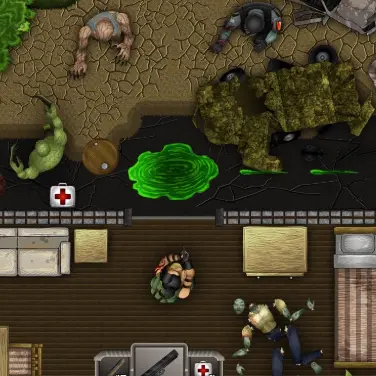
Survive zombie attacks across a ruined 3D city using scavenged guns. Explosive barrels and abandoned cars can become useful environmental weapons. A broken city block provides both dangerous blind corners and a few powerful environmental shortcuts.
How to Play Zombies Shooter Part 2
1. Keep retreat paths open while looking for ammo supplies.
2. Move with WASD; fire with Left-click.
3. Explosive environmental objects can clear clustered zombies more efficiently than ordinary shots.
4. Hold off the zombie wave and move through the ruined city without being surrounded.
Controls
| Action | Desktop | Mobile |
|---|---|---|
| Move | WASD | — |
| Fire | Left-click | — |
| Reload | R | — |
| Jump | Space | — |
| Switch gun | 1-6 | — |
Zombies Shooter Part 2 Tips & Tricks
- Shoot an explosive near a gathered crowd instead of spending dozens of rounds.
- Letting faster zombies surround a parked position removes room to kite.
- Save explosive scenery until several zombies have gathered inside the blast area.
Frequently Asked Questions
How does a successful attempt in Zombies Shooter Part 2 work?
You aim to survive zombie attacks across a ruined 3D city using scavenged guns.
Can I use red barrels against zombies?
Yes. The game includes shooting explosive objects when zombies have gathered around them.
Where should I focus at the start of Zombies Shooter Part 2?
Keep retreat paths open while looking for ammo supplies.
What can I do when the usual approach stops working?
Shoot an explosive near a gathered crowd instead of spending dozens of rounds.
Why do I keep failing in Zombies Shooter Part 2?
Letting faster zombies surround a parked position removes room to kite.
How do you steer or interact in Zombies Shooter Part 2?
Desktop: move: WASD; fire: Left-click; reload: R.
What should I consider before the next attack?
Save explosive scenery until several zombies have gathered inside the blast area.